Here’s what $5,849 gets you in an M5 Max MacBook Pro
The M5 Max MacBook Pro is a symphony of performance. On the surface, it looks like any other MacBook Pro, but its capabilities define top-notch performance. It aces every performance benchmark and handles everything you throw at it, quietly and with 22 hours of battery life. Put simply: it’s portable computing done right.
The 14-in. MacBook Pro I’ve been working with is undoubtedly a pro machine (as it should be with a nearly $6,000 price tag). This particular unit uses Apple’s most advanced M5 Max processor (count ’em, 18 CPU cores, 40 GPU cores), has a whopping 128GB RAM and 4TB of SSD storage. Price with options is: $5,849.
A benchmark for excellence
So much of what makes these Macs great relates to the processor. The M5 Max in my test machine (thanks, Apple) is one of the most advanced chips on the planet. It introduces a new “Fusion” architecture that connects two chip dies together, forming a single system-on-a-chip (SOC) in a move that delivers amazing performance.
Three statistics illustrate this:
- Single-core processor performance: 4,351
- Multi-core processor performance: 29,510
- Super fast SSD performance. Blackmagic’s Disk Speed Test returns a phenomenal 12,587.3 MBps read speed, and 12,661.1 MBps write speed — twice as fast as before. That one change alone means you’ll get more done faster.
Together, the processor and disk speed mean this Mac will crunch swiftly through even the largest and most demanding files; it’s great for video as well as CAD, complex simulations, medical imaging, on-device AI tools, data analysis, and beyond. Max Tech’s tests showed a 16-in. MacBook Pro beat an $11,238 Dell Pro Max 18 Plus in Blender 3D Rendering tests by a country mile.
Apple’s amazing silicon journey
Apple’s work on silicon is astonishing. Each core is powerful. The 18 CPU cores host 6 “super” cores and 12 performance cores for ridiculously fast handling of the pro tasks your business is built on, from AI modelling to code compiling, effects rendering, audio compositing/mixing, CGI — even the most demanding professional will find it challenging to push these Macs beyond the wire.
The same is true for all those GPU cores, each of which includes its own dedicated Neural Accelerator. What that means is that if you are using your Mac to run AI workloads, you’ll get around 4x the performance of the last generation high-end Mac and 8x the performance of M1 Max machines. These Macs munch through professional (multi-core) tasks, while the 40 GPU cores shrug through everything else.
It is important to consider the cadence of Apple’s processor improvements; the M4 Max appeared just 18 months ago in October 2024. Apple has already exceeded the records set by that machine. Today, excepting any act of force majeure, Apple seems on track to beat this latest set of records by summer 2027.
Thanks for the memory
The MacBook Pro is no MacBook Neo, which is limited to 8GB RAM. My test ‘Pro held the maximum 128GB RAM, and to get a loose sense of how it performs, I ran some Passmark tests:
- 19,479 thousand operations per second for database operations.
- 30,108 MBps for memory read cached (or 33,676 MBps uncached).
- Memory write benchmark of 33,512 MBps and 14 nanoseconds memory latency.
For comparison, a MacBook Neo can deliver 4,939 thousand operations per second with lower memory write speeds and higher (22 nanoseconds) memory latency.
Pro users often handle huge files, which is why these Macs are perfect for that kind of task. You get a serious 614GBps of memory bandwidth, which means you can multitask to your heart’s content, run some of the largest generative AI (genAI) models on device, and work with massive files. If creating, manipulating, or understanding huge chunks of data is your jam, this Mac will help you earn more of it.
And if you need to use any external accessories (including displays) the decision to include three Thunderbolt 5 USB-C ports means those big chunks of data will continue to fly at 120GBps. That interconnectivity means that if you have multipole MacBooks that support RDMA, you can cluster them together using Exolabs to run LLMs at speeds that exceed cloud-based AI. Everything about these Macs is focused on performance.
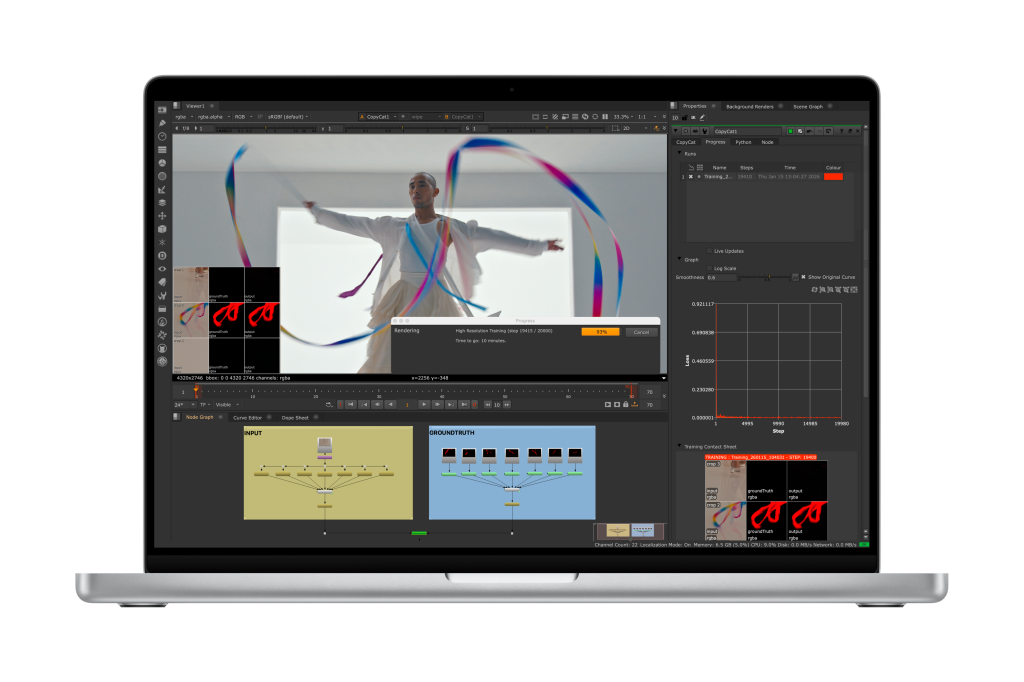
In the hood
It’s also important to recognize the extent to which Apple is leaning into AI. It understands that the one thing people will need as AI proliferates will be systems capable of running that infrastructure outside the cloud. These Macs are more than capable of doing so. When it comes to building AI models, MacBook Pro has you covered there, too — thanks to the on-board. Neural Accelerators. They give AI developers the kind of performance they can get from a desktop workstation in a system they can take with them to their local coffee shop. (Of course, at this price, only the very brave will choose to use these systems anywhere near liquids.)
Apple also supports its power focus with support for key production codecs including HEVC, H.264, ProRes, 4k and 8K video, and more. The company’s hardware designers have obviously thought about what their customers will need and how to deliver the goods for them. This is also why the company equipped these machines with such fast SSDs, capable of handling speeds up to 12GBps. Not only can the processor race through data, but the overall system can sift through it quickly as well.
And when doing those tasks, you’ll find yourself enjoying the 12MP Center Stage Camera, excellent, studio-quality microphone, and six-speaker immersive sound stage. The sound is particularly impressive, and maintains the company’s track record for great sounding kit.
Here’s looking at you
As noted, these top-of-the-line models look just like other MacBook Pros, featuring beautiful slabs of rounded, milled aluminium with an Apple logo and a display to match. The screen is critical to the experience of using these Macs, and the Liquid Retina XDR screen offers exceptional, super-bright performance (1,600 nits peak brightness), with support for a billion colors.
The review unit in hand also had the nano-texture display, which noticeably reduces glare, reflections, and smudges. You can work effectively on your Mac in all kinds of lighting conditions, including when you work outside on bright, sunny days. And Apple promises up to 22 hours of battery life, though my real-world testing shows if you are handling huge files and demanding workflows you’ll certainly get less than that. How much less is hard to state. But I believe a typical Mac videographer working on video outdoors should have a full working day on the MacBook pro, with some left over for watching the world unravel on social media.
Buying advice
What you have in this box proves that everything in these Macs is about performance. That’s as true of the processor as it is to the internal components, the ports, the speedy SD 4.0 SDXC card slot, and even the inclusion of Wi-Fi 7, which supports speeds up to 2.4Gbps in the 6GHz band.
These Macs are also about workflow, both in terms of the power they bring and the accessories you’ll need, including support for not one, not two, but four external displays in my test unit. Two of these displays will dance happily with your content at full 5K resolution at 120Hz refresh rates. The user experience is made even more lovely by the backlit Magic Keyboard.
So, who is this for?
Well, to use a tired analogy, if MacBook Neo is the Volkswagen Beetle, then MacBook Air could be a Tesla, and this MacBook Pro is absolutely a Porsche. You’ll choose your drive for many reasons, but if you need a system to deliver consistent, capable performance for the very toughest of tasks, I have no hesitation recommending this Mac to you.
Please follow me on Twitter, or join me in the AppleHolic’s bar & grill and Apple Discussions groups on MeWe. Also, now on Mastodon.
Read more: Here’s what $5,849 gets you in an M5 Max MacBook Pro